
Pokémon Go: Some tips for your adventure.

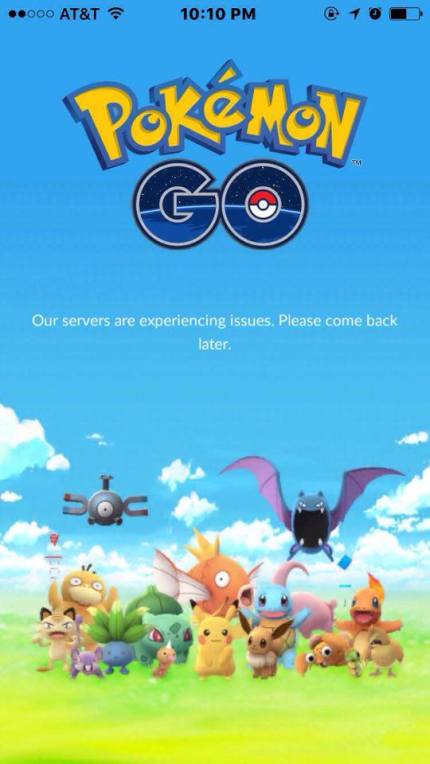
With Pokémon Go having recently been released to several server issues, and using a new augmented reality (AR) platform, we thought that we would help all you potential Pokémon Masters out there with some of the finer points of the game, and the app itself.
We’ll start with some gameplay tips for those who may be new to the Pokémon franchise, then we’ll talk about the devices on which the app is actually supported. Finally, we’ll tell you a bit about how you can conserve your phone’s battery life while playing (because this one is a battery sucker).
Gameplay Tips
– Players are given an infinite use incubator, which is used to hatch the eggs that are collected at pokéstops. These eggs will indicate the distance in kilometers that players need to travel in order for them to be hatched (1km = 0.62 mi). Additional incubators can also be purchased with real life money.
– Evolving a pokémon involves continuously capturing its lowest evolution, which will award its specific candy & stardust. The pokémon can then be transferred to Professor Willow, which removes it from your inventory & grants another candy.
– Since there are no push notifications, we highly suggest wearing at least one ear bud, so you can hear when a pokémon is in the area.
– Encountering what looks like flying leaves (it’s actually rustling grass) gives an opportunity to catch rarer & greater amounts of pokémon in those areas.
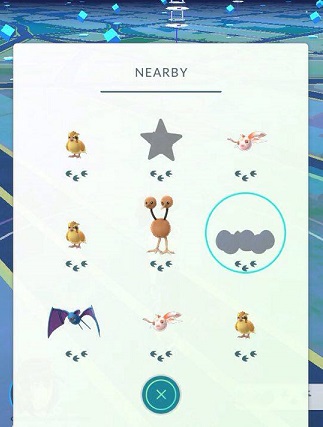
– Clicking on the bottom right corner of the screen shows nearby pokémon. The number of footprints underneath its name shows how close they are (0 prints = very close, 3 prints = further away).
Supported Devices
Our list of supported devices & necessary operating systems is just what has been released as of July 7, 2016.
– Android users must have Android 4.4 – 6.01
– Preferred screen resolution of 720 x 1280 pixels
– Admi graphics or better
– Intel CPUs are not supported.
– iPhone users must have an iPhone 5 or better
– iOS 8 is a must
– Jailbroken devices are not supported
Battery Life Support
Let’s face it. This app is a battery hog. However, our own Janey (who also provided the screenshots for this article) actually spent an entire day testing out what we now believe to be the best way to mitigate the battery drain issues. Following these steps in order should help you enjoy longer game play, without killing your phone battery (as fast).
- Close all applications.
- Turn on your phone’s battery saving mode.
- Turn off your wifi.
- Turn off bluetooth.
- Open Pokémon Go.
- Click the pokéball in the middle, and access the app’s settings.
- Turn off the music.
- Turn on the app’s battery saver.
- Turn off the AR feature when you encounter a pokémon.
We hope that these tips help you all on your quests to catch ’em all & become the very best. Get out there & start your adventures!

 Pop Culture Uncovered
Reblogged this on sargestamps.
LikeLike
Thanks for this! I needed the tips!
LikeLike
really helpful !! thanks pal
LikeLike